

In recent days, we have encountered several cases where Google Search Console rejected a WordPress sitemap with an HTTP 404 error, even though the /wp-sitemap.xml address appeared to display correctly in a regular web browser.
After a more detailed investigation, we found that the issue was not caused by WEDOS Global Protection, the web hosting CDN cache, or Googlebot, which was the one alerting our customers to the problem.
HTTP/1.1 404 Not Found
Content-Type: application/xml
At the same time, WordPress was returning a completely valid XML sitemap in the response body, so at first glance everything appeared to be working correctly in the browser.
Why does the sitemap work in the browser, but Google rejects it?
A web browser can display XML content even if the server simultaneously returns a 404 Not Found status in the HTTP headers. This is why everything may appear to be working correctly at first glance.
Google Search Console, however, correctly checks the HTTP status code. The sitemap must be available with a successful response status, typically:
HTTP 200 OKIf the server returns 404, Google will not use the sitemap, even if the XML content itself is otherwise valid.
The status can be checked easily, for example with:
curl -vk -A "Mozilla/5.0 sitemap-test" https://example.cz/wp-sitemap.xmlThis is a known WordPress 7.1 bug
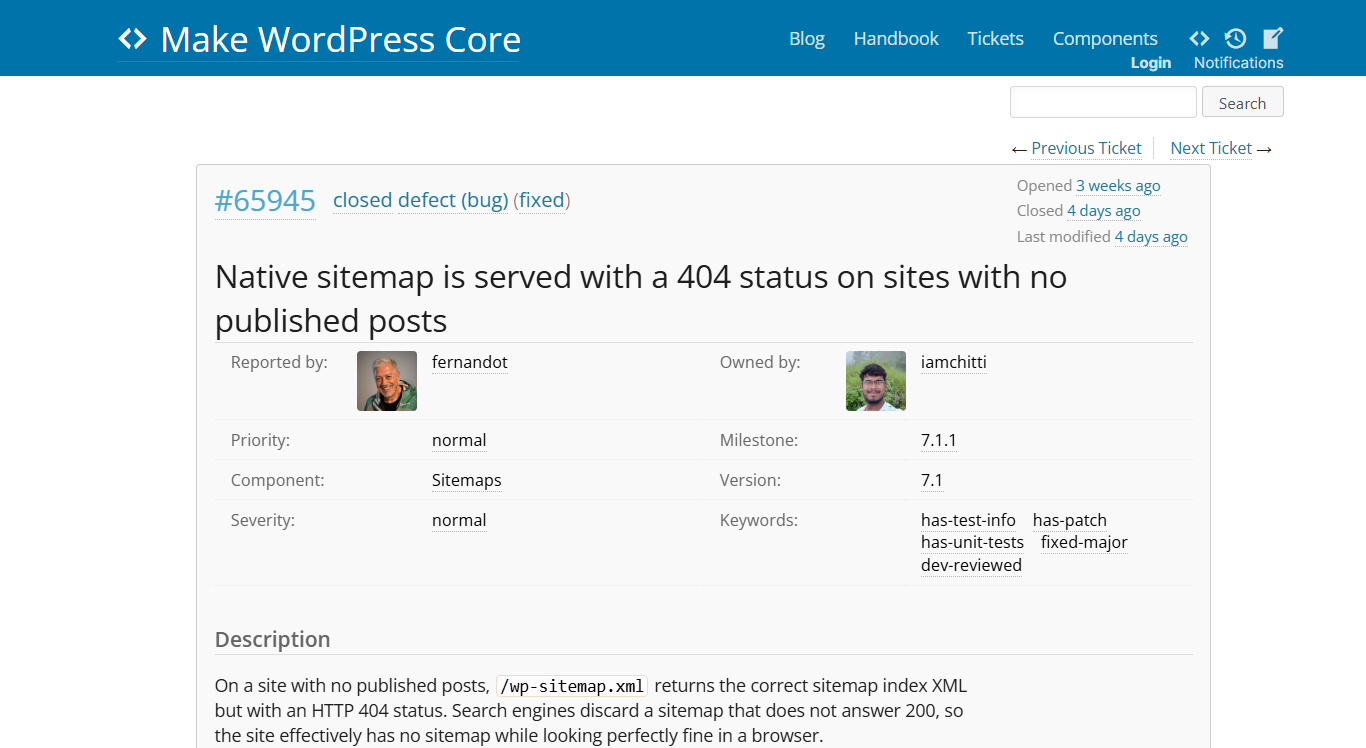
WordPress Core tracks the issue as #65945 – Native sitemap is served with a 404 status on sites with no published posts.
The bug affects WordPress 7.1 and is especially visible on websites that do not have any published posts of the standard post type. The site may still contain any number of pages (page), and the sitemap content itself is generated correctly. On a clean WordPress installation without plugins, it was confirmed that when there are no published posts, /wp-sitemap.xml returns a 404 status, while publishing a single post causes it to return 200 OK. (WordPress Trac)
Technically, WordPress sets the 404 status during request processing before the sitemap component generates the XML. This results in the unusual combination:
HTTP 404
+
valid XML sitemap
How to fix the issue
The recommended solution is to update to WordPress 7.1.1, where the fix for this issue is already included. WordPress 7.1.1 RC1 contains the fix, and the final release is currently scheduled for September 17, 2026, provided that no additional issues are found during testing. (Make WordPress)
Until the update is released, the issue can be worked around temporarily, for example by publishing at least one regular WordPress post. The official ticket also mentions a PHP workaround using the pre_handle_404 filter. However, we recommend using it only as a temporary solution and removing it after WordPress has been updated. (WordPress Trac)
After updating, we recommend checking /wp-sitemap.xml again. The correct response must include:
HTTP 200 OKIf Google Search Console reports a 404 error for the native sitemap after updating to WordPress 7.1, even though the sitemap appears normally in the browser, the issue may not be related to the hosting, CDN, or security protection. This is currently a known WordPress Core bug, and a fix is prepared for WordPress 7.1.1.